Make TinyMCE editor taller (v. 2.9x)
If you are using the alternate TinyMCE editor, and you want to make the editor a little taller:
Temporary Fix:
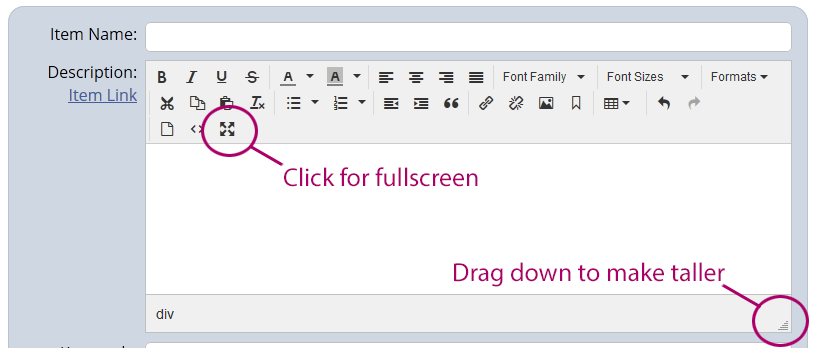
Click the the triangle in the lower left corner of the description, and drag to temporarily make it taller. Or click the "full screen" button to temporarily fill the screen with the editor.
Permanent Fix:
Open htmlarea.php in the /includes/ folder, and add:
height: 800,
just above the line:
convert_urls : false,
and change the 800 to whatever height you want to use.
Note: This will affect the starting height for all fields that use the editor.